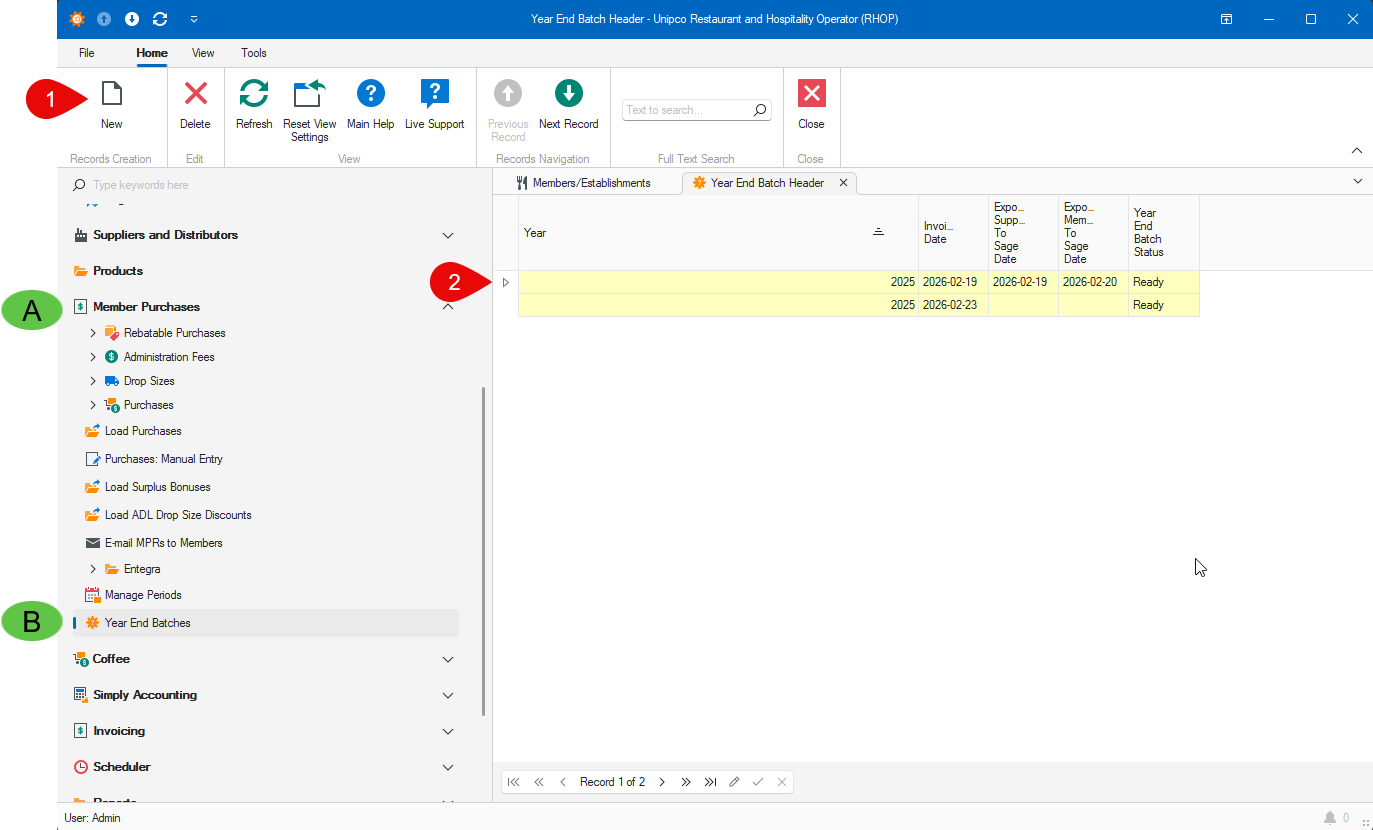
To access the Year End Batches, Click on (A)Member Purchases, on the side menu, then click on (B)Year End Batches.
To create a new batch, click on the (1)New button. This will open the Year End Batch Entry Screen.
You can view the batches that have been created and there status in the list (2).